> ## Documentation Index
> Fetch the complete documentation index at: https://docs.connect.fastenhealth.com/llms.txt
> Use this file to discover all available pages before exploring further.
# Quickstart
> Install the Stitch React SDK and launch the Fasten Connect modal from React web apps.
This documentation is for [Stitch.js (v4) SDK](/stitch/v4/), which is now the recommended version for integrating Fasten Connect into your application.
If you need access to the previous versions, please see [v1 documentation](/stitch/v1/) or [v3 documentation](/stitch/v3/).
This version includes compatibility with additional runtime environments (Web, React Native, React etc), improved performance, and additional features.
v4 is backwards compatible with v3 -- there are no breaking changes to the public API, but we have made significant improvements to the underlying codebase and architecture. If you are currently using v3, you can upgrade to v4 without making any changes to your code.
The [v1 Web Component](/stitch/v1/) and [v3 Web Component](/stitch/v3) are in maintenance mode and will no longer receive updates (outside of security fixes).
Please update your code to use the new version.
The React SDK renders a trigger button that opens the Fasten Connect widget in a modal dialog. It is designed for React web applications that want typed props, React refs, and component-level styling instead of using the Web Component directly.
## Installation
```bash theme={null}
# npm
npm install @fastenhealth/fasten-stitch-element-react
# yarn
yarn add @fastenhealth/fasten-stitch-element-react
```
React 18 or later is required as a peer dependency.
## Basic usage
Render `FastenStitchElement` anywhere you want the patient to start a connection flow. The default trigger button opens the Stitch modal and the `onEventBus` callback receives the raw browser `MessageEvent` from the embedded widget.
```tsx theme={null}
import { FastenStitchElement } from '@fastenhealth/fasten-stitch-element-react';
const CUSTOMER_PUBLIC_ID = 'public_test_...';
export function ConnectRecords() {
return (
{
const payload = JSON.parse(event.data);
console.log('Fasten event', payload);
}}
/>
);
}
```
## Custom trigger
Pass `children` when you want to use your own button or link as the trigger. The SDK wraps the children in a clickable element and still owns the modal lifecycle.
```tsx theme={null}
import { FastenStitchElement } from '@fastenhealth/fasten-stitch-element-react';
export function ConnectRecords() {
return (
);
}
```
## Programmatic control
The component exposes `show()` and `hide()` through a React ref.
```tsx theme={null}
import { useRef } from 'react';
import {
FastenStitchElement,
type FastenStitchElementHandle,
} from '@fastenhealth/fasten-stitch-element-react';
export function ConnectRecords() {
const stitchRef = useRef(null);
return (
<>
);
}
```
## Basic usage (TEFCA Mode)
When TEFCA mode is enabled, developers can access medical records without requiring the patient to search for their healthcare providers, or login to multiple portal logins.
Instead the patient is prompted to verify their identity and Fasten Connect will automatically retrieve their medical records from any healthcare institution that participates in the TEFCA network.
If you would like to enable TEFCA IAS mode, set `tefcaMode={true}`. The remaining installation steps are the same as above, just with the additional prop.
```tsx theme={null}
import { FastenStitchElement } from '@fastenhealth/fasten-stitch-element-react';
const CUSTOMER_PUBLIC_ID = 'public_test_...';
export function ConnectRecords() {
return (
{
const payload = JSON.parse(event.data);
console.log('Fasten event', payload);
}}
/>
);
}
```
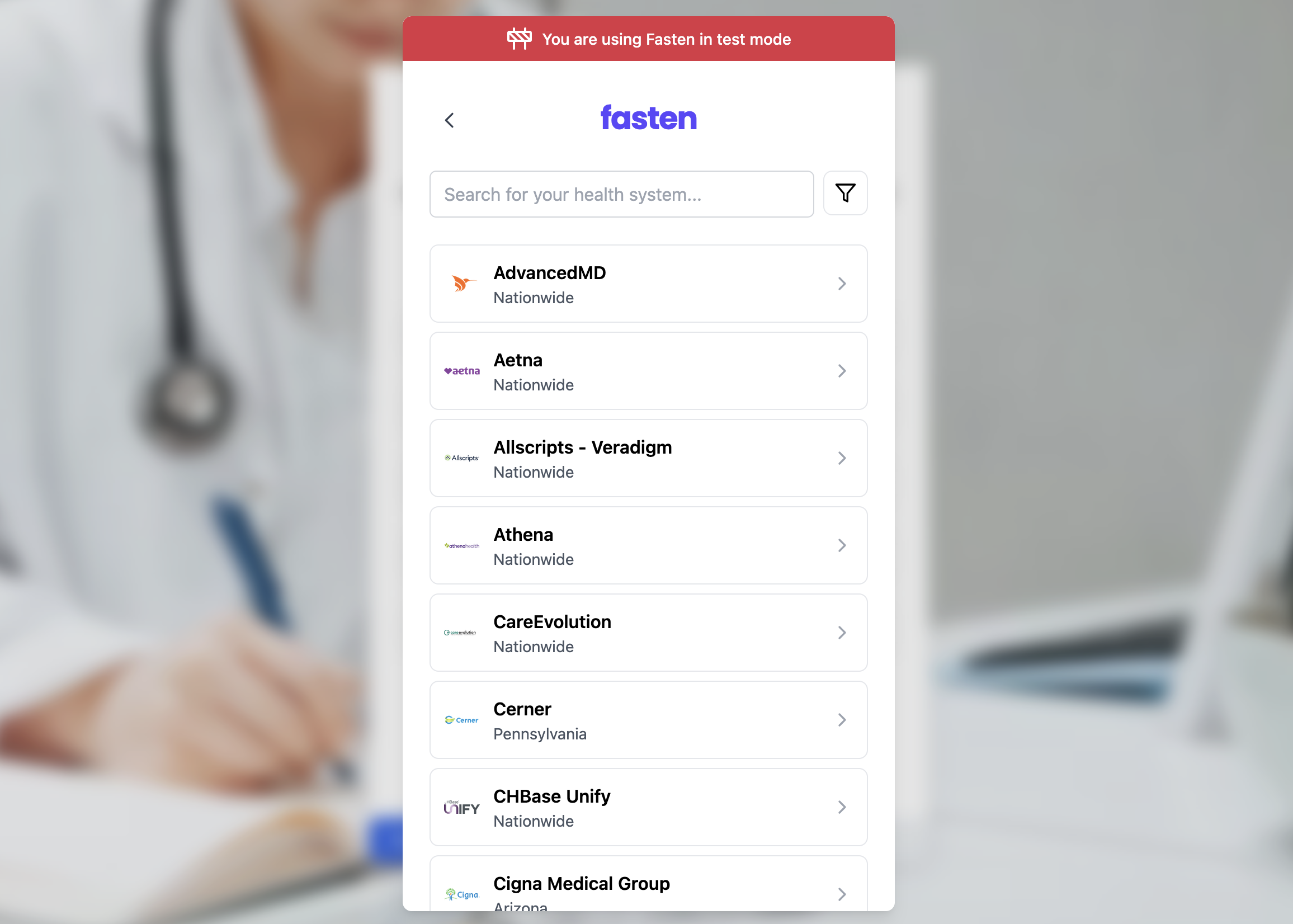 Render `FastenStitchElement` anywhere you want the patient to start a connection flow. The default trigger button opens the Stitch modal and the `onEventBus` callback receives the raw browser `MessageEvent` from the embedded widget.
```tsx theme={null}
import { FastenStitchElement } from '@fastenhealth/fasten-stitch-element-react';
const CUSTOMER_PUBLIC_ID = 'public_test_...';
export function ConnectRecords() {
return (
Render `FastenStitchElement` anywhere you want the patient to start a connection flow. The default trigger button opens the Stitch modal and the `onEventBus` callback receives the raw browser `MessageEvent` from the embedded widget.
```tsx theme={null}
import { FastenStitchElement } from '@fastenhealth/fasten-stitch-element-react';
const CUSTOMER_PUBLIC_ID = 'public_test_...';
export function ConnectRecords() {
return (
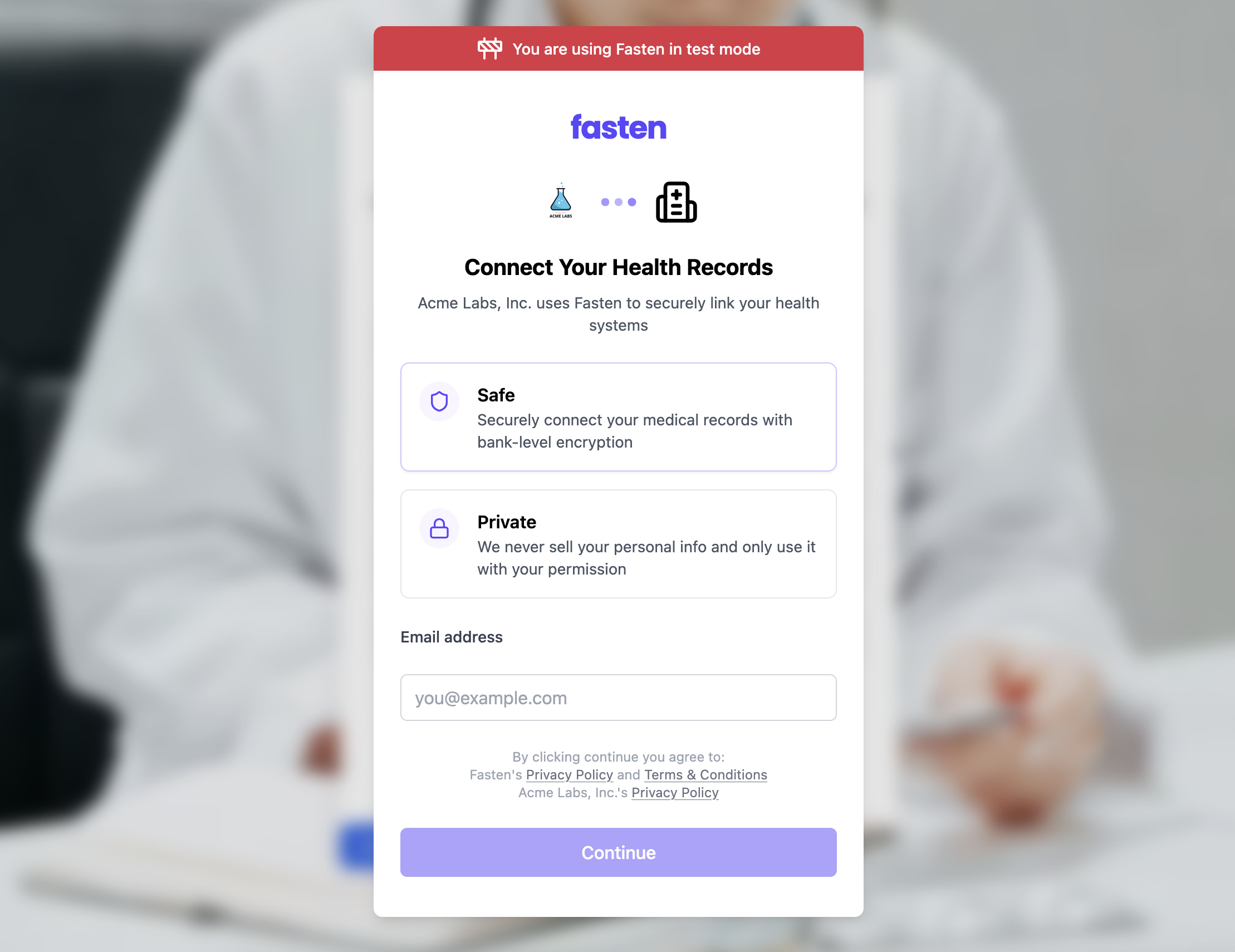 If you would like to enable TEFCA IAS mode, set `tefcaMode={true}`. The remaining installation steps are the same as above, just with the additional prop.
```tsx theme={null}
import { FastenStitchElement } from '@fastenhealth/fasten-stitch-element-react';
const CUSTOMER_PUBLIC_ID = 'public_test_...';
export function ConnectRecords() {
return (
If you would like to enable TEFCA IAS mode, set `tefcaMode={true}`. The remaining installation steps are the same as above, just with the additional prop.
```tsx theme={null}
import { FastenStitchElement } from '@fastenhealth/fasten-stitch-element-react';
const CUSTOMER_PUBLIC_ID = 'public_test_...';
export function ConnectRecords() {
return (