> ## Documentation Index
> Fetch the complete documentation index at: https://docs.connect.fastenhealth.com/llms.txt
> Use this file to discover all available pages before exploring further.
# Introduction
> Learn when identity proofing is required, why it helps protect healthcare data, and what patients should expect.
There are additional fees involved with TEFCA IAS in `live` mode. Please contact [support@fastenhealth.com](mailto:support@fastenhealth.com) or your [Account Representative](https://calendly.com/jason-kulatunga/30min) for more information
## Overview
Fasten has the capability to access medical records from a variety of data sources with patient consent.
Some of these sources require Identity Proofing as an additional step to confirm that the patient requesting records is the same person whose records are being accessed.
For customers who have enabled these optional data sources, Fasten will prompt patients to verify their identity through
a secure third-party provider before they can select records to share. This process typically involves taking a photo of a
government-issued ID and a selfie, which the provider uses to confirm the patient's identity.
Identity proofing is not a credit check and does not affect a patient's care, insurance, or credit score. It is a security
step used to protect access to sensitive health information.
## Why Healthcare Uses Identity Proofing
Healthcare records contain highly sensitive information. Identity proofing helps make sure access is granted to the right
person before data is shared across organizations.
For patients, identity proofing can make record access easier because a successful verification may allow records to be
found across participating healthcare organizations without signing in to each patient portal separately.
For customers building with Fasten, identity proofing helps support:
* **Patient trust** - Patients see a clear step explaining why their identity is being verified.
* **Data protection** - Higher-assurance identity checks reduce the risk of unauthorized access.
* **Better matching** - Verified identity attributes can improve matching against participating healthcare data sources.
* **Network access** - Some data sources require proofed identity before they will release patient records.
* **Cleaner consent records** - The proofing event becomes part of a more auditable access workflow.
## When Patients May See It
A patient may be asked to complete identity proofing when:
* They are using a Fasten-powered flow that connects to a data source requiring verified identity.
* They are requesting records through a network access flow such as TEFCA IAS.
* Your application uses [Bring Your Own Identity](/identity-proofing/bring-your-own-identity)
If identity proofing is not required for the selected data source, the patient will continue through the normal Fasten
Connect experience.
## What Patients Should Have Ready
Patients should complete identity proofing in a well-lit place with a stable internet connection.
They may need:
* A valid government-issued photo ID, such as a driver's license, state ID, or passport.
* A smartphone or computer with a working camera.
* Access to the email address and phone number they use for verification.
* Their current legal name, date of birth, and home address.
* A few uninterrupted minutes to complete the proofing flow.
If the patient has already verified with the selected identity provider, they may only need to sign in and confirm their
account instead of repeating the full document and selfie capture process.
## What To Expect
The exact screens vary by identity provider, but most proofing flows follow a similar path.
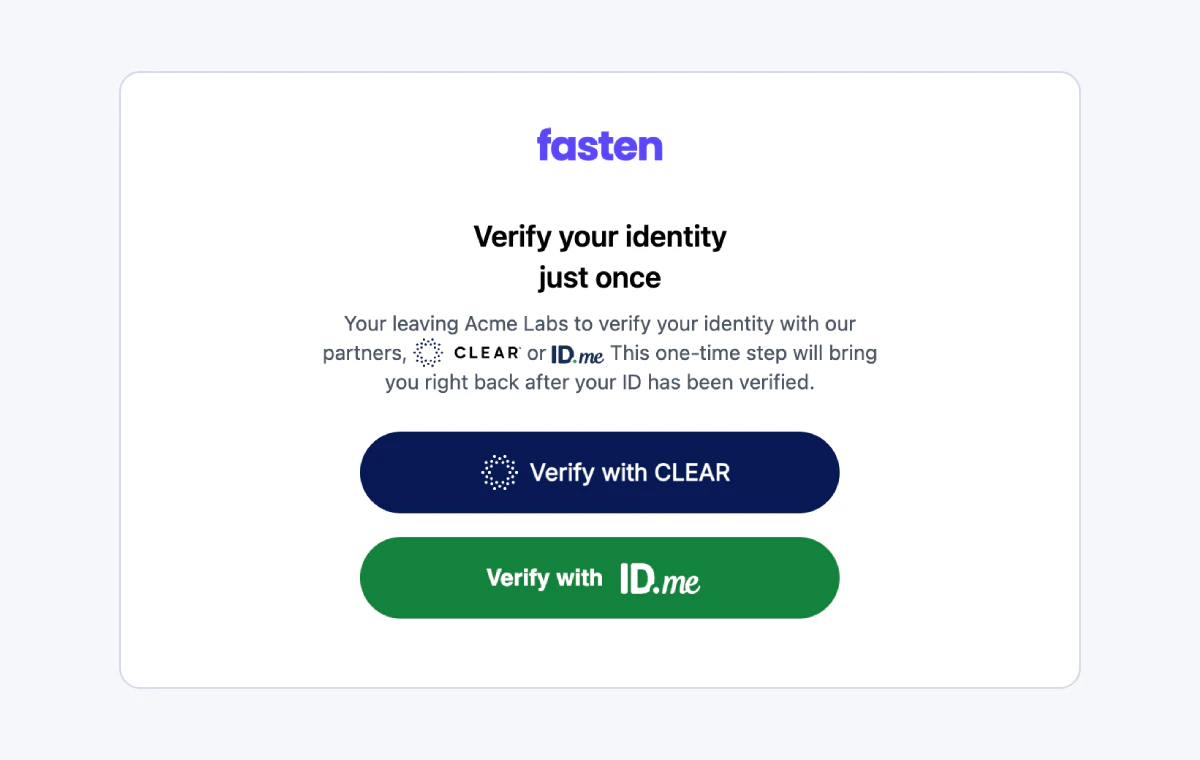
### 1. Choose An Identity Provider
The patient may be asked to choose or continue with an identity provider. The available options depend on the data source,
customer configuration, and Fasten environment.
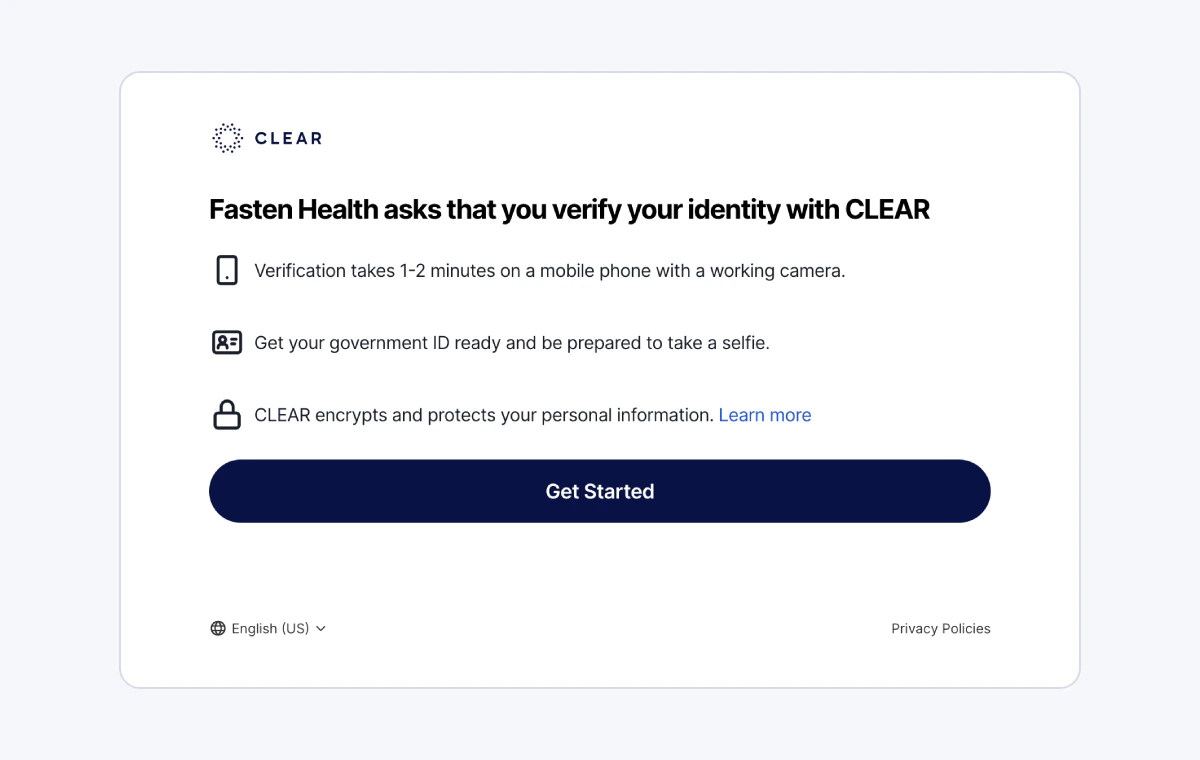
 ### 2. Prepare Documents
The identity provider explains what the patient needs before proofing begins. This is usually a photo ID, camera access,
and a phone or email verification method.
### 2. Prepare Documents
The identity provider explains what the patient needs before proofing begins. This is usually a photo ID, camera access,
and a phone or email verification method.
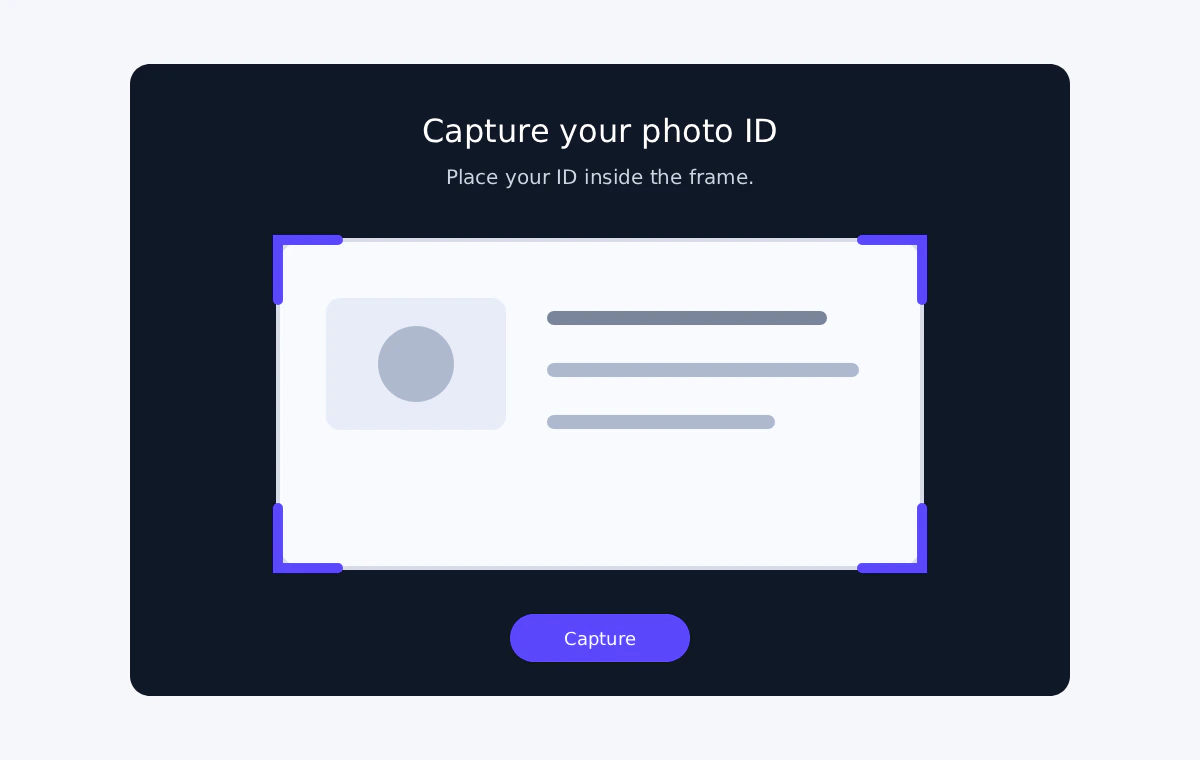
 ### 3. Capture A Photo ID
The patient takes a clear photo of their government-issued ID. The identity provider checks that the document appears
valid and readable.
### 3. Capture A Photo ID
The patient takes a clear photo of their government-issued ID. The identity provider checks that the document appears
valid and readable.
 ### 4. Take A Selfie
The patient may be asked to take a selfie or short live image so the identity provider can compare the person completing
the flow to the photo ID.
### 4. Take A Selfie
The patient may be asked to take a selfie or short live image so the identity provider can compare the person completing
the flow to the photo ID.
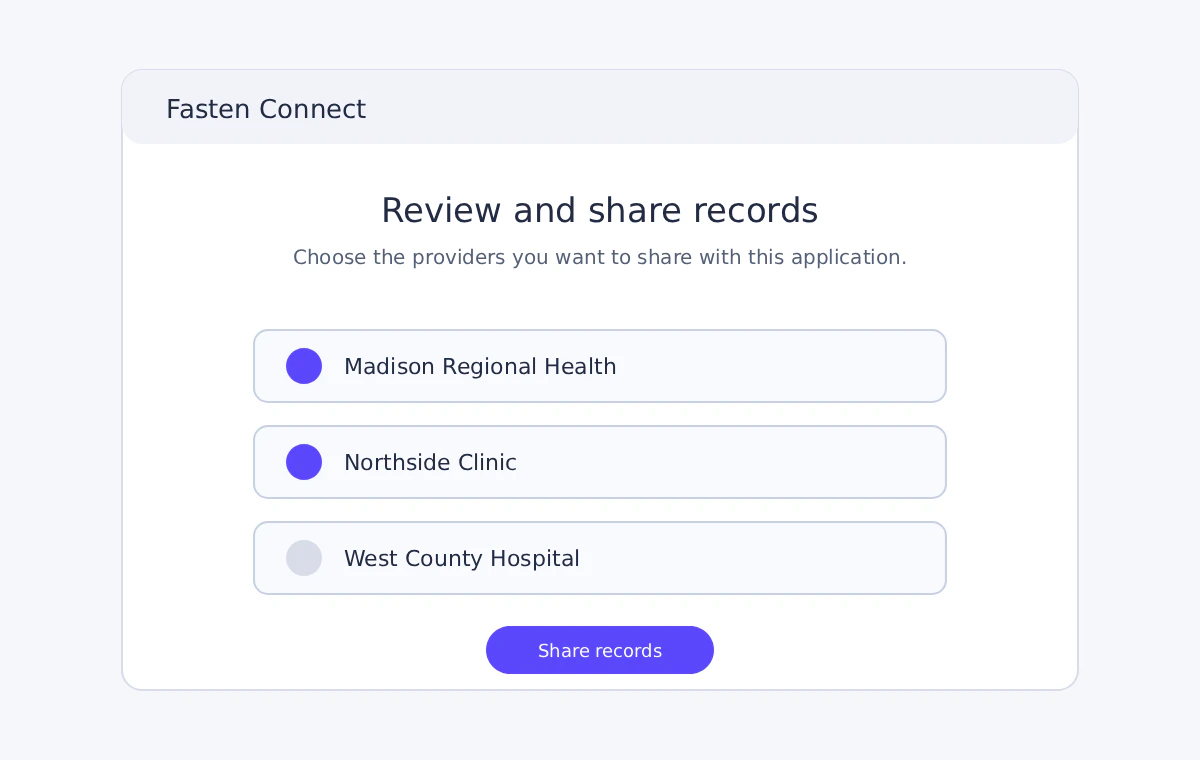
 ### 5. Return To Fasten
After successful proofing, the patient returns to Fasten to review consent and continue selecting the records or providers
they want to share.
### 5. Return To Fasten
After successful proofing, the patient returns to Fasten to review consent and continue selecting the records or providers
they want to share.
 ## Customer Implementation Notes
Set patient expectations before launching identity proofing. The best place to do this is in your application, immediately
before opening the Fasten Connect experience.
Recommended customer-facing guidance:
* Explain that identity proofing may be required for some data sources, not every connection.
* Ask patients to have a valid photo ID and camera-ready device available.
* Make clear that proofing helps protect access to health records.
* Provide a support path if a patient cannot complete verification.
## Privacy And Security FAQs
No. Identity proofing is optional functionality used only for data sources and workflows that require a higher-confidence identity check.
Many Fasten Connect flows continue to use standard patient portal sign-in and consent without an additional proofing step.
Some healthcare data sources require stronger proof that the person requesting records is the patient or an authorized individual.
This helps protect sensitive health information from unauthorized access.
No. Identity proofing is used only to confirm identity for record access. It is not a credit check and does not affect care, insurance eligibility, or credit score.
The identity proofing provider handles the document and selfie capture during the verification flow. Fasten receives the verification result and identity information needed to continue the record-access workflow.
Fasten does not need photo ID images or selfie images to complete the record-access workflow. The identity proofing provider may process and retain verification materials according to its own privacy policy and legal obligations.
Fasten receives the information required to confirm the verified identity and continue the consent flow. This may include verified identity attributes such as name, date of birth, email, address, and a proofing result or token, depending on the provider and workflow.
If the selected data source requires identity proofing, the patient must complete it before records can be requested through that flow. If proofing is optional for the selected connection, the patient can continue through the standard Fasten Connect flow.
The patient can usually retry, correct unreadable images, or choose another available verification method. If they still cannot complete proofing, they should contact the application support team for help.
Yes. Fasten uses secure authorization flows and encrypted connections to handle identity and consent information.
## Next Steps
* Use [TEFCA IAS](/guides/tefca-ias) when Fasten should manage the identity proofing redirect.
* Use [Bring Your Own Identity](/identity-proofing/bring-your-own-identity) when your application performs AAL2 authentication and proofing with your own supported CSP.
## Customer Implementation Notes
Set patient expectations before launching identity proofing. The best place to do this is in your application, immediately
before opening the Fasten Connect experience.
Recommended customer-facing guidance:
* Explain that identity proofing may be required for some data sources, not every connection.
* Ask patients to have a valid photo ID and camera-ready device available.
* Make clear that proofing helps protect access to health records.
* Provide a support path if a patient cannot complete verification.
## Privacy And Security FAQs
No. Identity proofing is optional functionality used only for data sources and workflows that require a higher-confidence identity check.
Many Fasten Connect flows continue to use standard patient portal sign-in and consent without an additional proofing step.
Some healthcare data sources require stronger proof that the person requesting records is the patient or an authorized individual.
This helps protect sensitive health information from unauthorized access.
No. Identity proofing is used only to confirm identity for record access. It is not a credit check and does not affect care, insurance eligibility, or credit score.
The identity proofing provider handles the document and selfie capture during the verification flow. Fasten receives the verification result and identity information needed to continue the record-access workflow.
Fasten does not need photo ID images or selfie images to complete the record-access workflow. The identity proofing provider may process and retain verification materials according to its own privacy policy and legal obligations.
Fasten receives the information required to confirm the verified identity and continue the consent flow. This may include verified identity attributes such as name, date of birth, email, address, and a proofing result or token, depending on the provider and workflow.
If the selected data source requires identity proofing, the patient must complete it before records can be requested through that flow. If proofing is optional for the selected connection, the patient can continue through the standard Fasten Connect flow.
The patient can usually retry, correct unreadable images, or choose another available verification method. If they still cannot complete proofing, they should contact the application support team for help.
Yes. Fasten uses secure authorization flows and encrypted connections to handle identity and consent information.
## Next Steps
* Use [TEFCA IAS](/guides/tefca-ias) when Fasten should manage the identity proofing redirect.
* Use [Bring Your Own Identity](/identity-proofing/bring-your-own-identity) when your application performs AAL2 authentication and proofing with your own supported CSP.