> ## Documentation Index
> Fetch the complete documentation index at: https://docs.connect.fastenhealth.com/llms.txt
> Use this file to discover all available pages before exploring further.
# Contribute Catalog Updates
> How Fasten customers can use the Fasten Toolbox to request provider catalog corrections.
Fasten provides the [Toolbox - Catalog Update](https://toolbox.fastenhealth.com/) as a lightweight portal where Fasten **customers** can explore the provider catalog and submit corrections. It is not a patient-facing application and should be used only by authorized customers.
 ## What You Can Do in the Toolbox
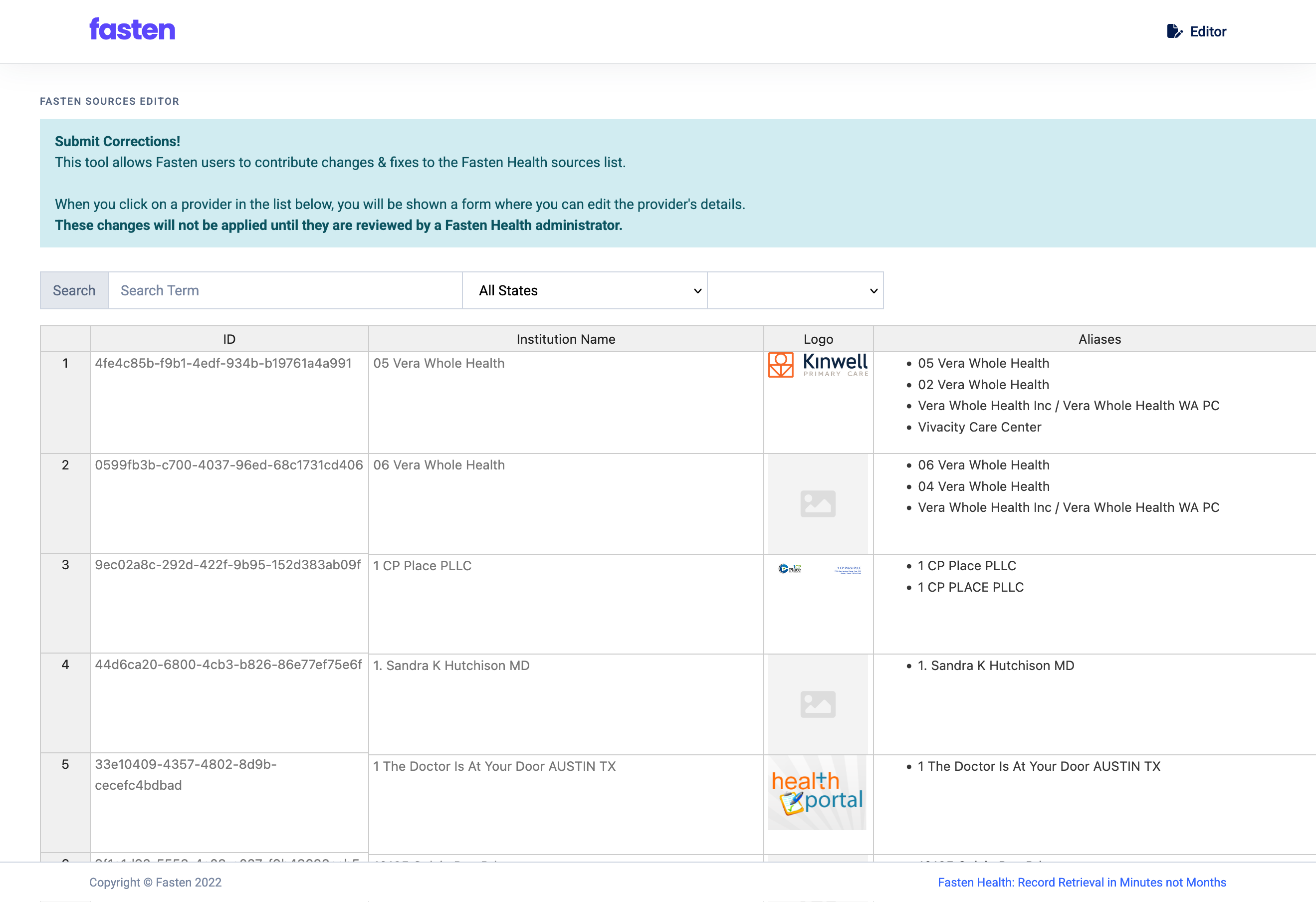
The Toolbox gives customers a self-service way to:
* Search the Fasten provider catalog by organization or health system name.
* Inspect the metadata attached to each provider record (e.g., aliases, website, logo, identifiers).
* Submit correction requests for spelling issues, missing names, incorrect URLs, outdated logos, missing NPI numbers, and other metadata gaps.
All submissions go through a manual review by the Fasten data operations team before any change becomes visible in the live catalog. This manual step ensures data accuracy and prevents unauthorized edits.
## Access and Intended Audience
* The Toolbox is limited to Fasten customers; do not share it with patients or use it in patient-facing workflows.
## Searching for Providers
1. Open [toolbox.fastenhealth.com](https://toolbox.fastenhealth.com/)
2. Use the global search bar to enter the provider, organization or health system name
3. Filter or refine terms if multiple results appear; searches match across official names, aliases, and known misspellings.
## What You Can Do in the Toolbox
The Toolbox gives customers a self-service way to:
* Search the Fasten provider catalog by organization or health system name.
* Inspect the metadata attached to each provider record (e.g., aliases, website, logo, identifiers).
* Submit correction requests for spelling issues, missing names, incorrect URLs, outdated logos, missing NPI numbers, and other metadata gaps.
All submissions go through a manual review by the Fasten data operations team before any change becomes visible in the live catalog. This manual step ensures data accuracy and prevents unauthorized edits.
## Access and Intended Audience
* The Toolbox is limited to Fasten customers; do not share it with patients or use it in patient-facing workflows.
## Searching for Providers
1. Open [toolbox.fastenhealth.com](https://toolbox.fastenhealth.com/)
2. Use the global search bar to enter the provider, organization or health system name
3. Filter or refine terms if multiple results appear; searches match across official names, aliases, and known misspellings.
 ## Reading the Provider Entry
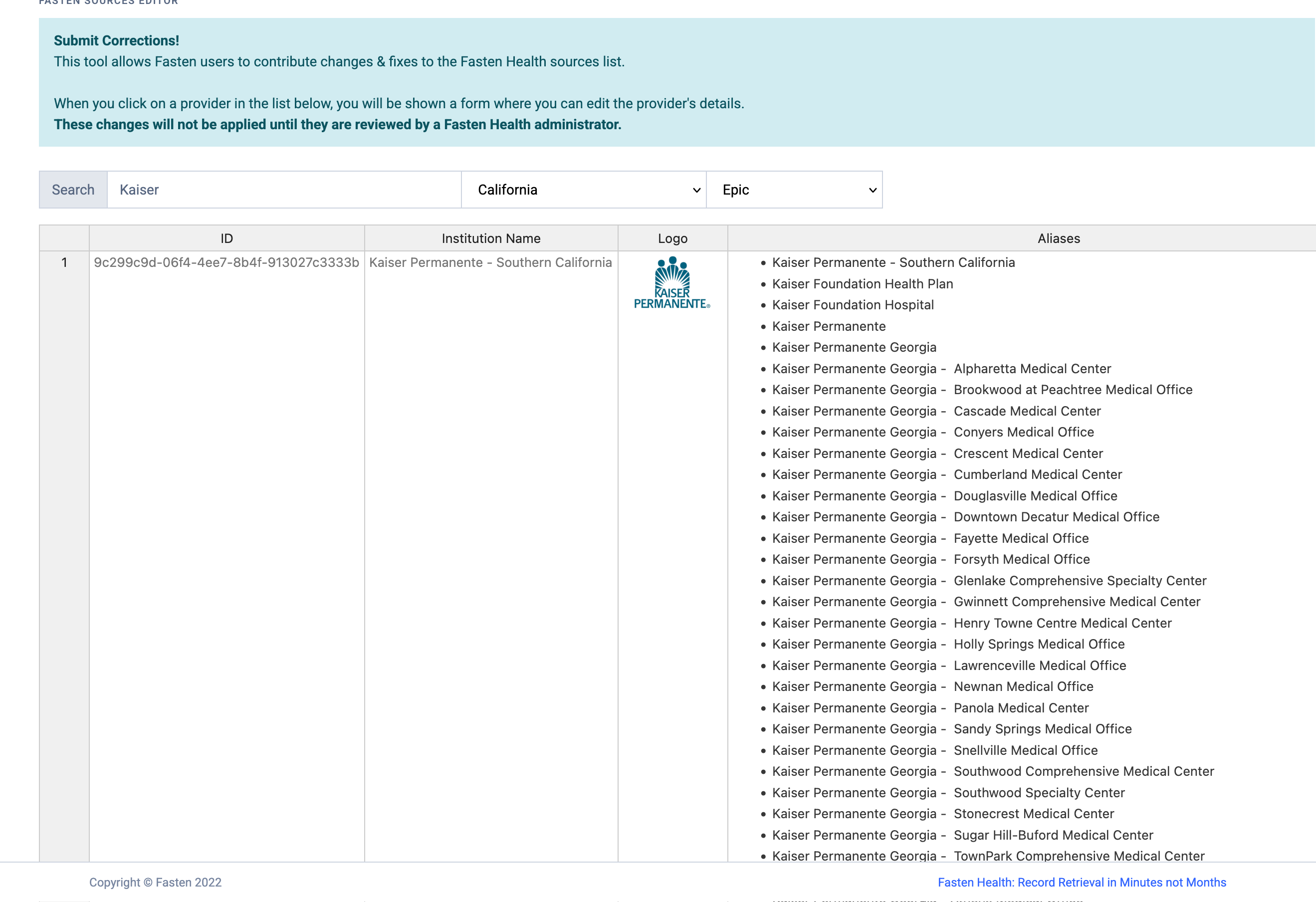
Each search result opens a detailed entry showing:
* Primary name and aliases.
* Official website and public contact URL.
* Associated brands, portals, or care locations.
* Current company logo and other branding assets.
* Identifiers such as NPI or CMS Certification Numbers (if available).
## Reading the Provider Entry
Each search result opens a detailed entry showing:
* Primary name and aliases.
* Official website and public contact URL.
* Associated brands, portals, or care locations.
* Current company logo and other branding assets.
* Identifiers such as NPI or CMS Certification Numbers (if available).
 ### Submitting Catalog Corrections
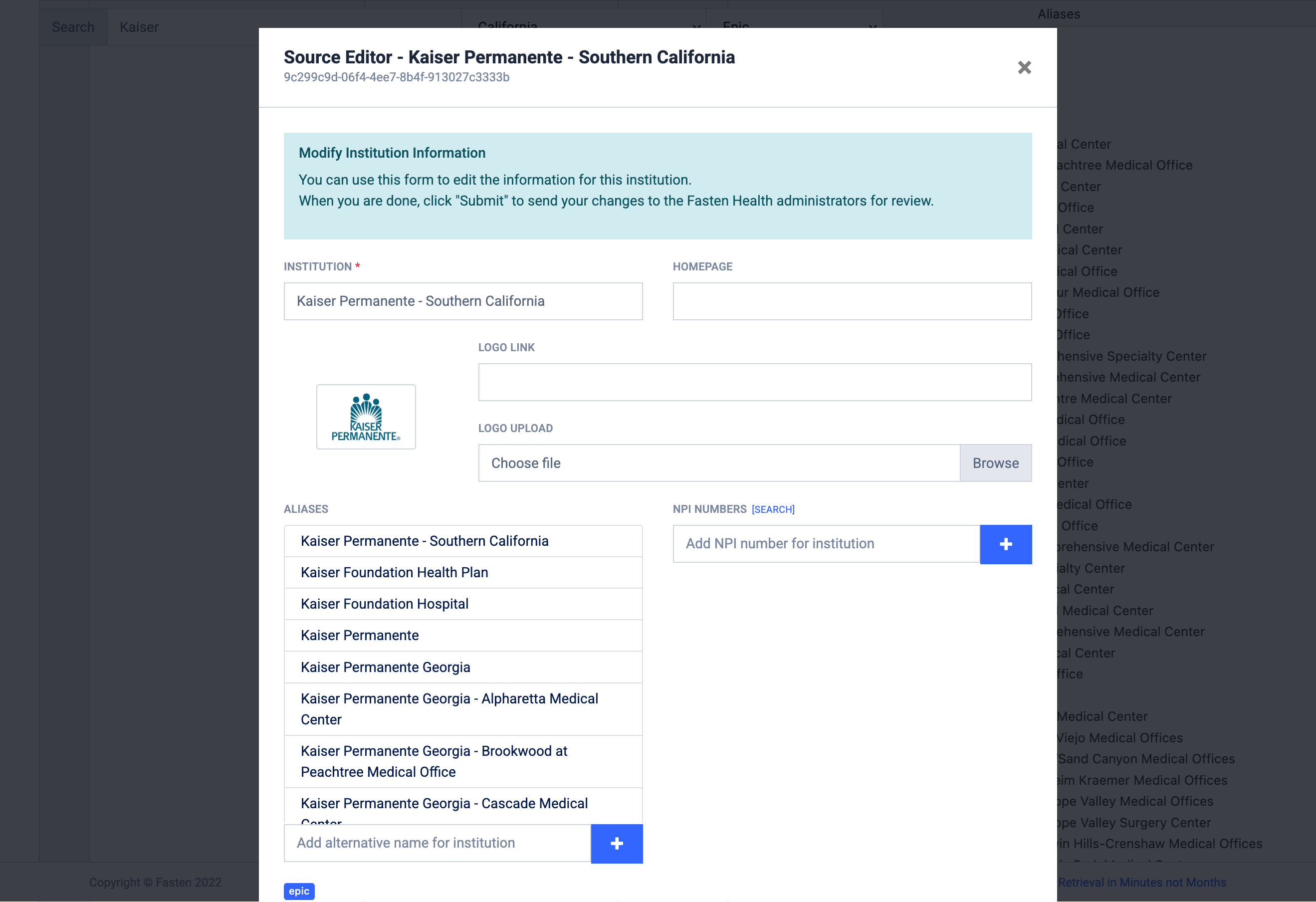
1. Choose the field(s) you want to update, such as:
* Names or aliases (e.g., fix capitalization or add a DBA name)
* Website URL or support portal link
* Company logo replacement (upload a clean PNG/SVG)
* NPI numbers or other identifiers
* Free-form notes for complex issues (e.g., mergers, portal deprecations)
2. Provide the corrected value plus any public references that help Fasten validate the change (official websites, press releases, provider directories, etc.).
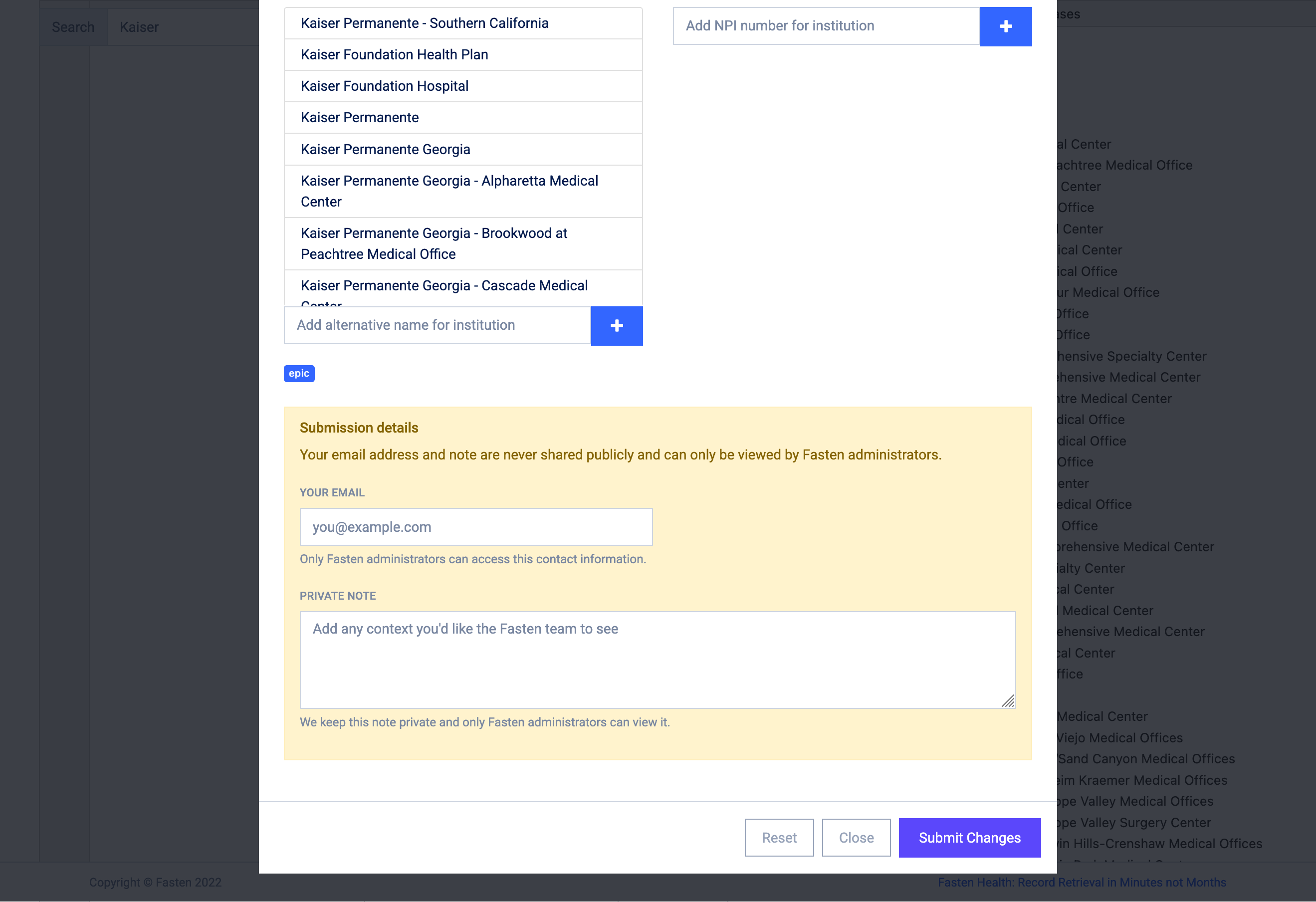
3. Submit the request. You will **not** receive an email confirmation.
### Submitting Catalog Corrections
1. Choose the field(s) you want to update, such as:
* Names or aliases (e.g., fix capitalization or add a DBA name)
* Website URL or support portal link
* Company logo replacement (upload a clean PNG/SVG)
* NPI numbers or other identifiers
* Free-form notes for complex issues (e.g., mergers, portal deprecations)
2. Provide the corrected value plus any public references that help Fasten validate the change (official websites, press releases, provider directories, etc.).
3. Submit the request. You will **not** receive an email confirmation.
 ### Helpful Tips
* When updating logos, include a URL where the asset is publicly displayed so our team can confirm usage rights.
## Review and Approval Process
* Every correction is manually reviewed by a Fasten administrator before being applied to the production catalog.
* You may be contacted for clarification if supporting evidence is missing or ambiguous.
* Once approved, changes propagate to the Fasten Connect and Stitch experiences as part of our next catalog update (which occurs monthly).
## Getting Help
If you encounter issues searching the catalog, or receiving status updates on submissions, email [support@fastenhealth.com](mailto:support@fastenhealth.com) with the provider name and the date of your request.
### Helpful Tips
* When updating logos, include a URL where the asset is publicly displayed so our team can confirm usage rights.
## Review and Approval Process
* Every correction is manually reviewed by a Fasten administrator before being applied to the production catalog.
* You may be contacted for clarification if supporting evidence is missing or ambiguous.
* Once approved, changes propagate to the Fasten Connect and Stitch experiences as part of our next catalog update (which occurs monthly).
## Getting Help
If you encounter issues searching the catalog, or receiving status updates on submissions, email [support@fastenhealth.com](mailto:support@fastenhealth.com) with the provider name and the date of your request.